AI agents now write to Odoo
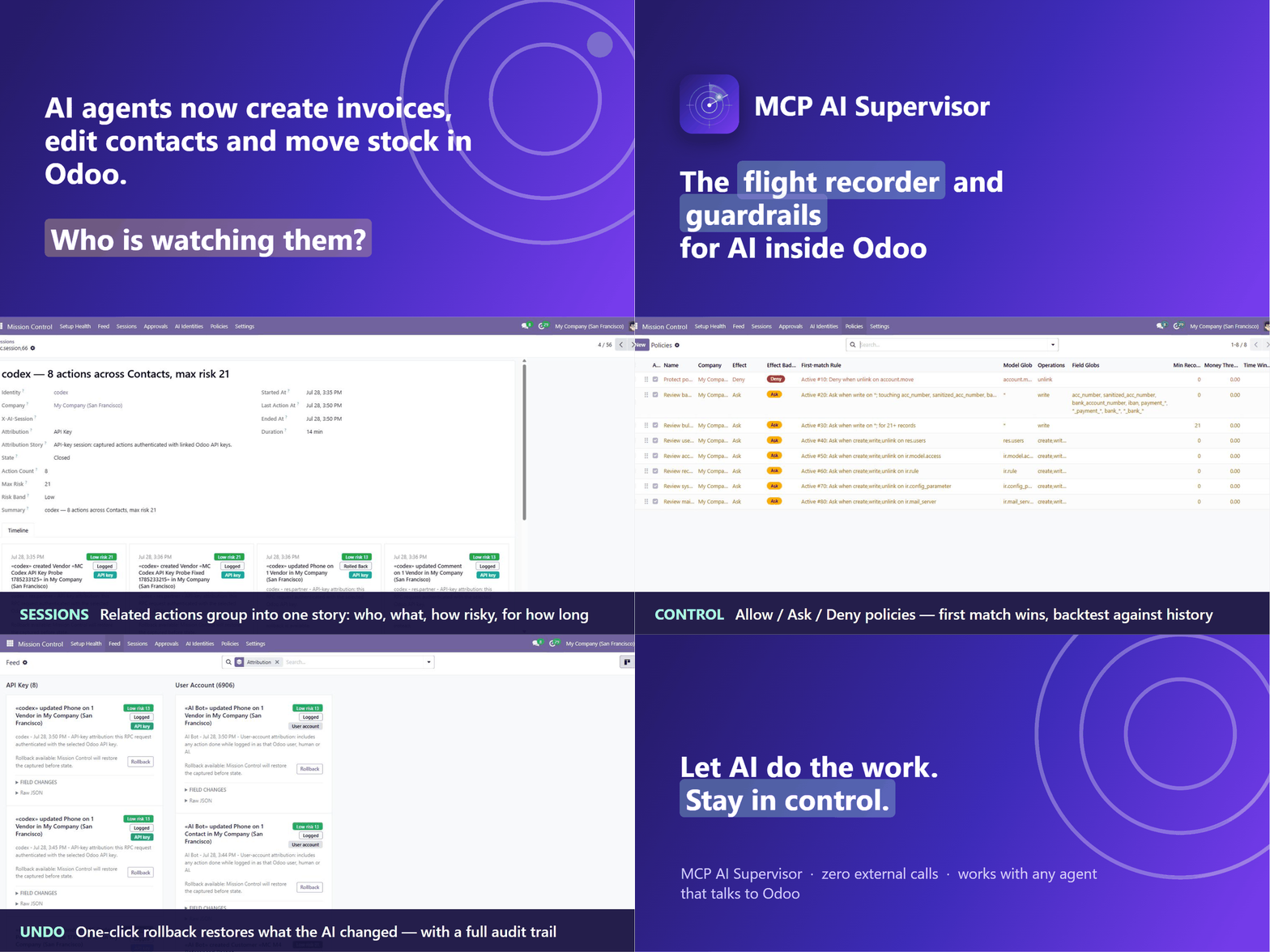
MCP servers, RPC scripts, copilots and Odoo 19's native AI agents create invoices, edit contacts and move stock in production databases — on behalf of their users, at machine speed.
 Loading…
Odoo module · ai_mission_control
“See, approve, and undo everything AI does to your Odoo.”
The flight recorder and guardrails for AI agents in Odoo — every AI action captured in plain English, risky changes held for approval, one-click rollback when the AI gets it wrong. Works with any agent that talks to Odoo — with no changes to the agent.
Zero external calls
Everything runs inside your Odoo. No data ever leaves your server.
Zero LLM runtime
No tokens, no API bills, no latency. Sentences and risk scores are pure deterministic rules.
Fail-open by design
If the module errors, Odoo behaves as if it isn't installed. Only a matched Deny blocks — and that fails closed.
Why now
MCP servers, RPC scripts, copilots and Odoo 19's native AI agents create invoices, edit contacts and move stock in production databases — on behalf of their users, at machine speed.
Raw connector logs show HTTP calls, not business meaning. Chatter shows scattered field changes with no intent, grouping or risk context. Nobody can answer “what did the AI do last week?”
Accountants are scared, and “let's connect an AI to Odoo” dies at sign-off. A flight recorder, guardrails and an undo button are what turn that conversation around.
What's in the box
Capture, understanding, control, approval and undo — one module, installed in one shot, admin-only by design.
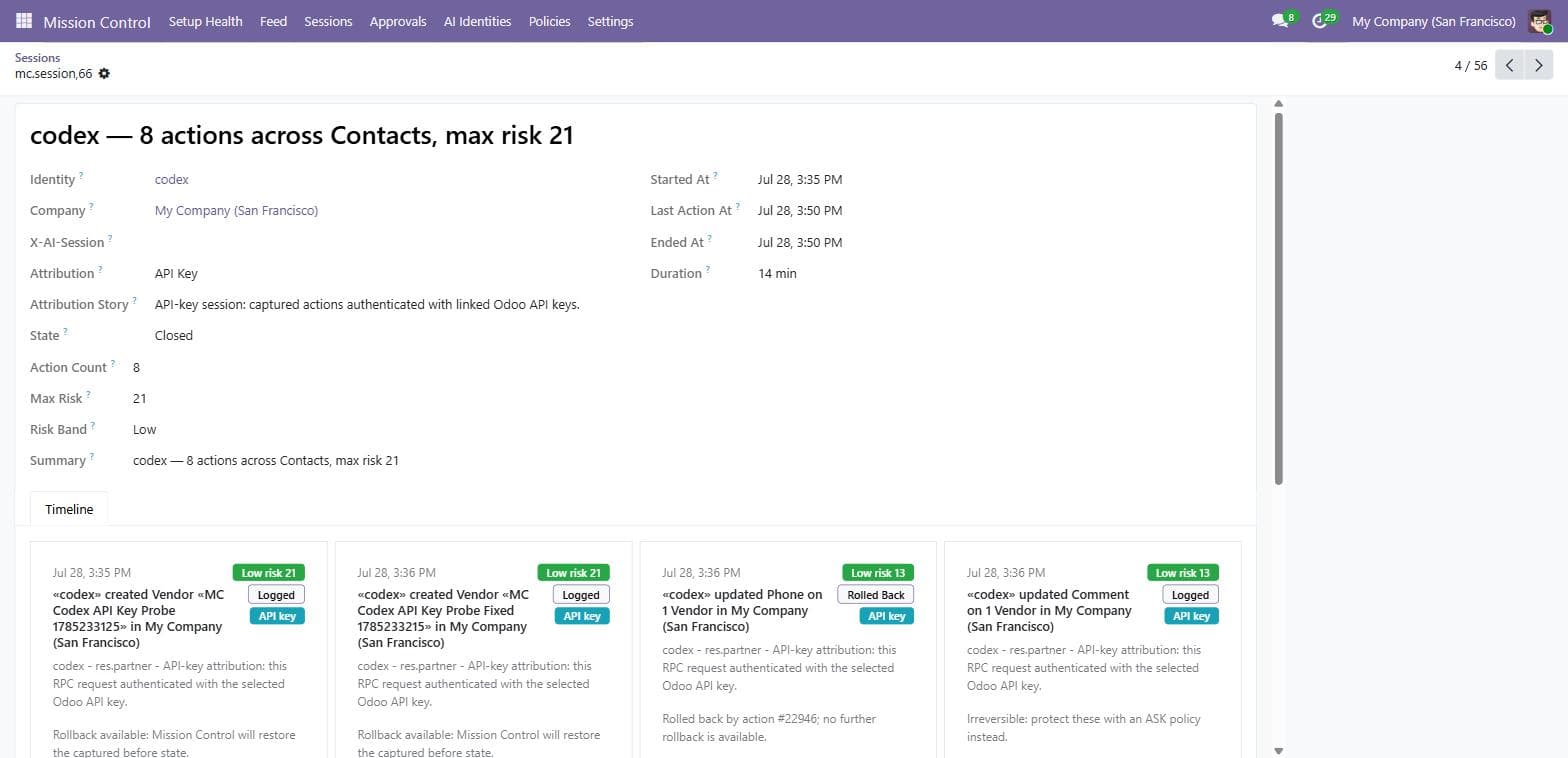
Every AI action becomes a sentence — “«Claude via MCP» created 3 Vendor Bills totalling €12,400” — with a risk chip, status badge, per-field before→after diff and a raw-JSON toggle for auditors. An owner reads a week of AI activity in a minute.
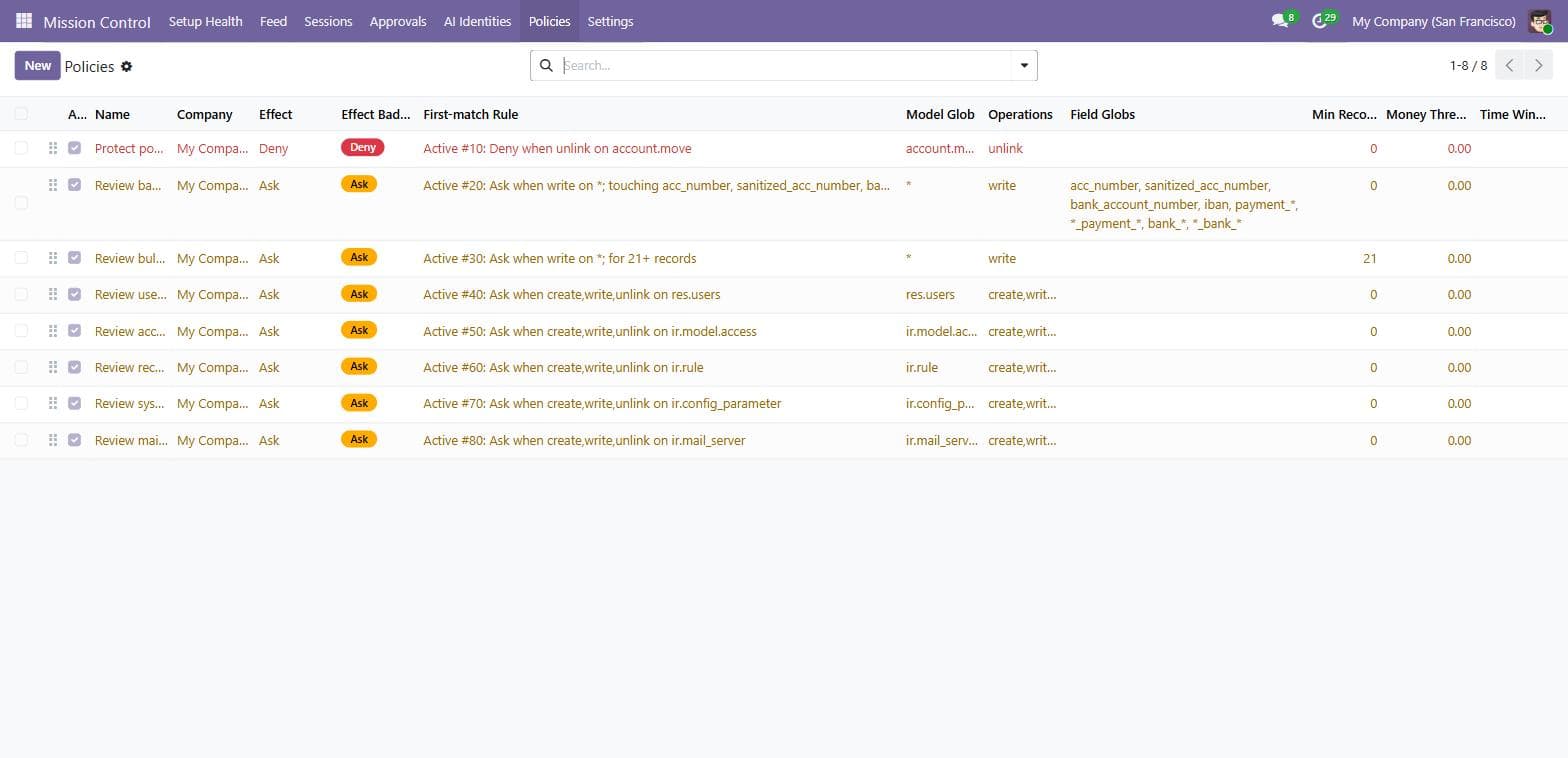
Sequence-ordered rules match on model, operation, touched fields, record count, money amount, time window and identity — evaluated before the operation runs. A sensible 8-rule starter pack ships enabled.
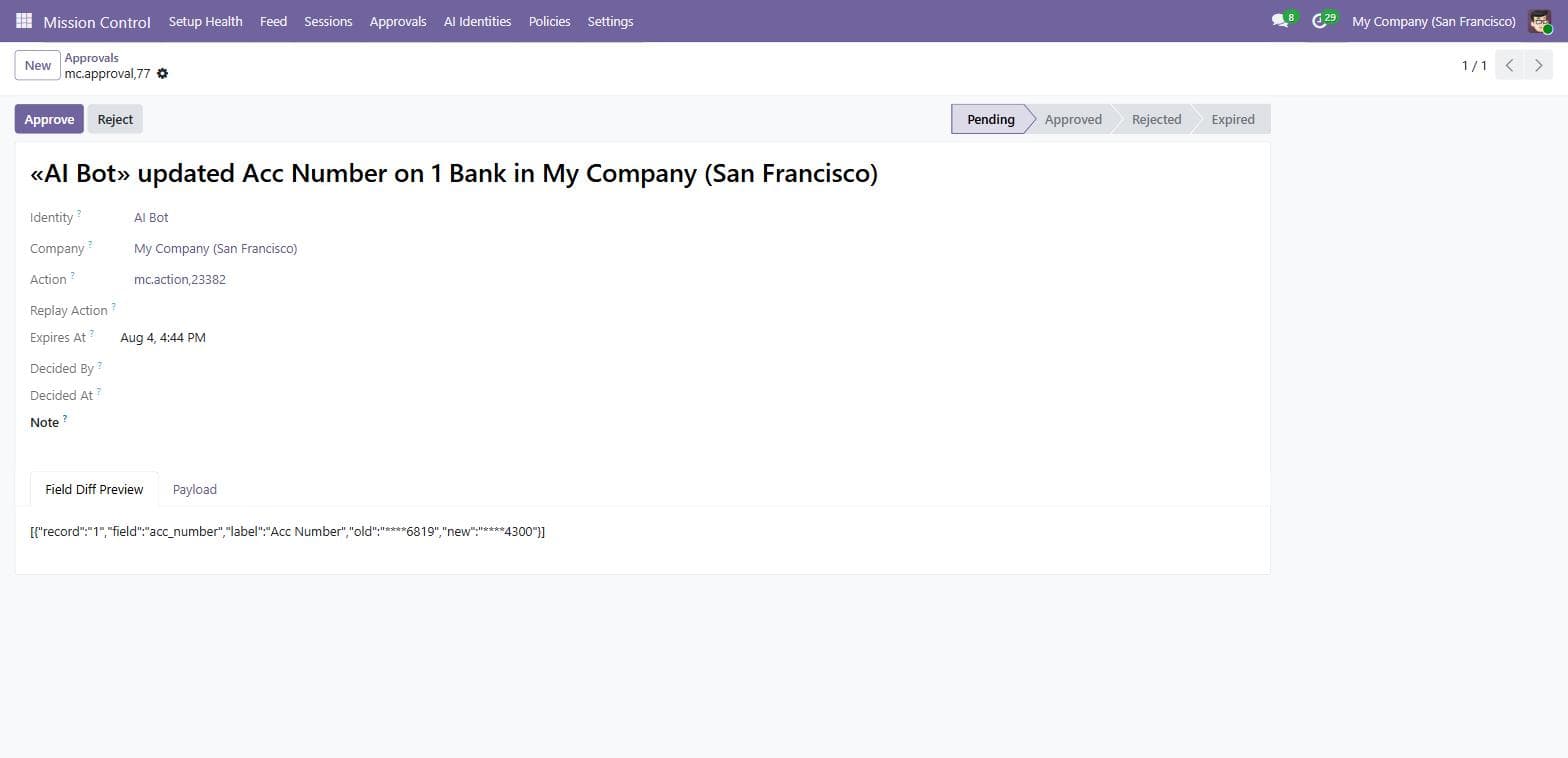
An Ask policy holds the change — nothing touches your data. The agent is told the approval number; you review the field diff and approve (replays it exactly) or reject. Unanswered requests expire in 7 days.
Safe writes, archive toggles and unreferenced creates roll back with one click — with stale-state checks, a mirror audit action and a chatter note. Payments and posted entries are labelled irreversible upfront: protect those with an Ask policy instead.
Related actions group into one session with a story summary and drill-down timeline. A weekly digest email — “What AI did to your Odoo this week” — reaches the managers who never open the backend.
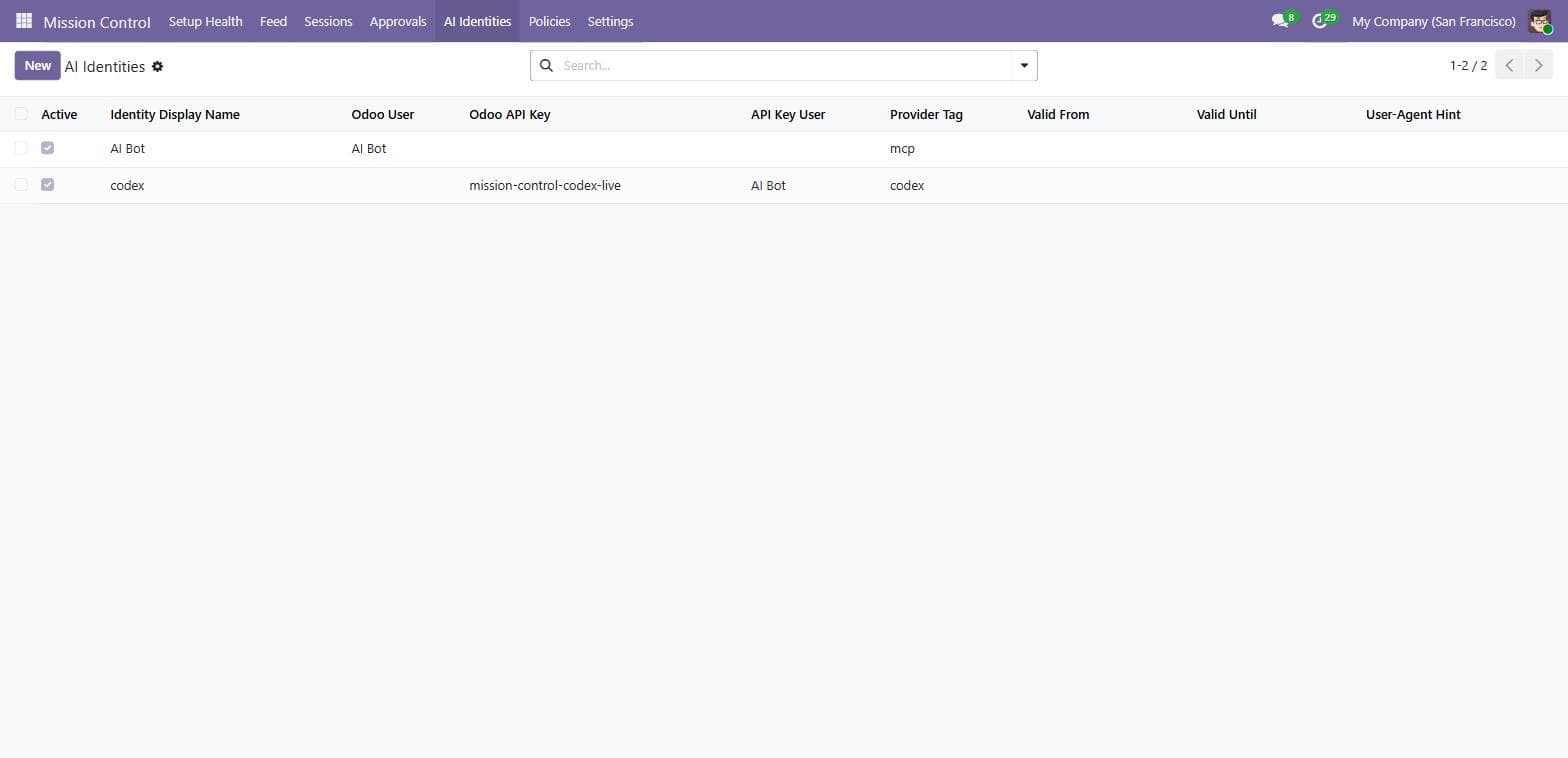
Flag the Odoo user or the exact API key your agent authenticates with. Key-level matches prove “the agent did this”; user-account matches say plainly they cover anyone using that login. Expiry dates give pilots a built-in kill-switch.
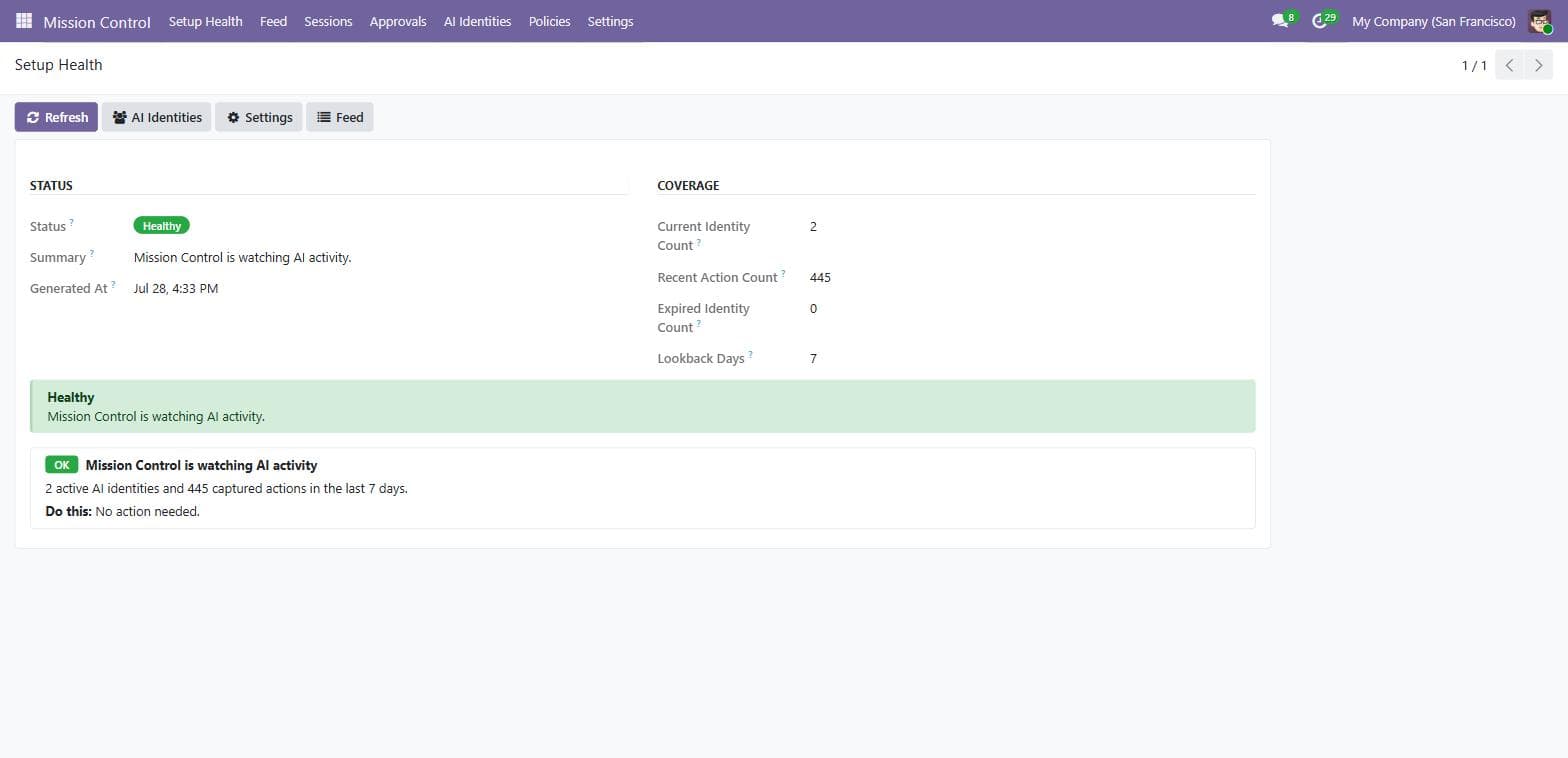
The app opens on a traffic-light checklist: identities active, actions flowing, protections on, nothing expired. Every warning ships with a “Do this” next step — so you never believe you're covered when you aren't.
Capture
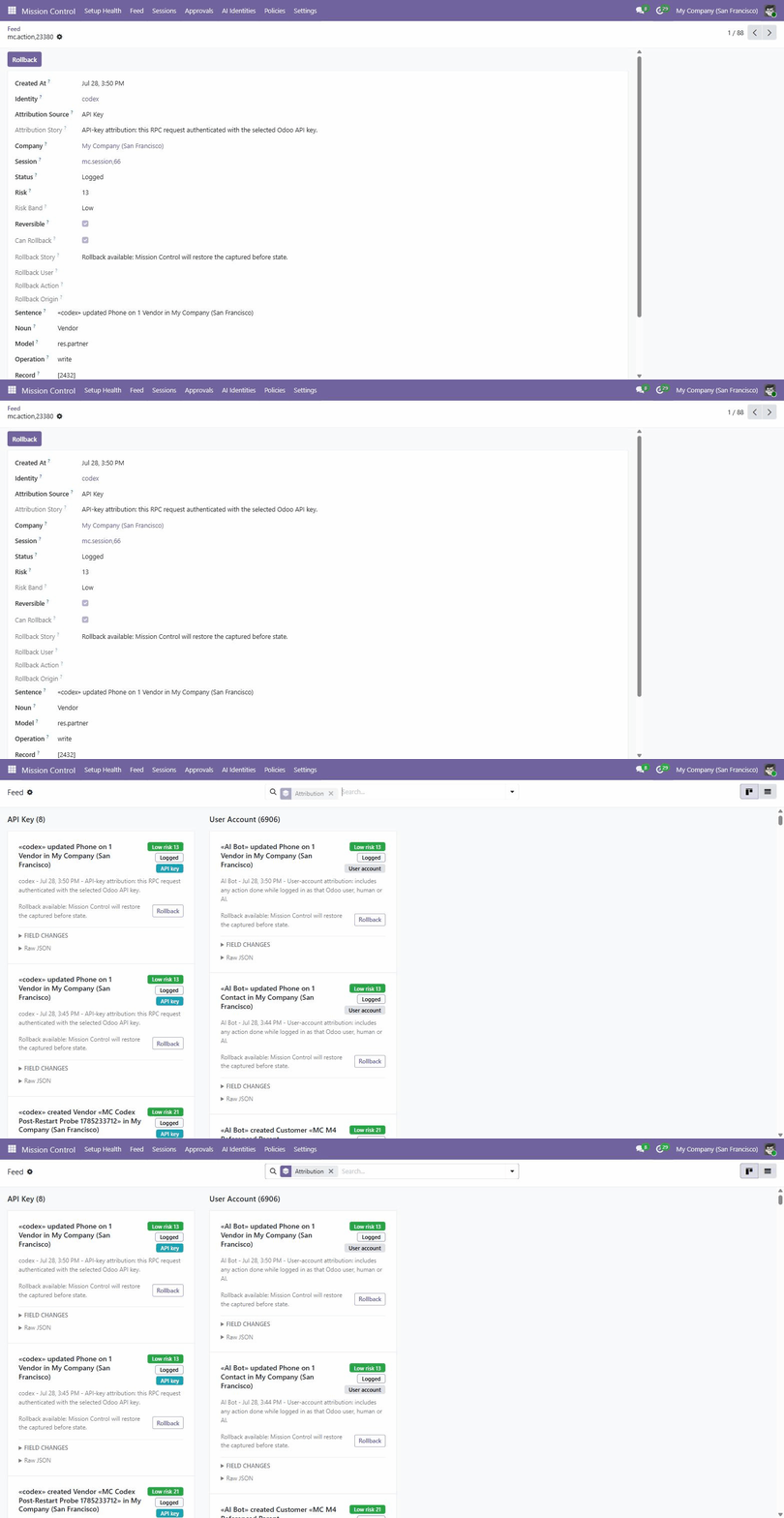
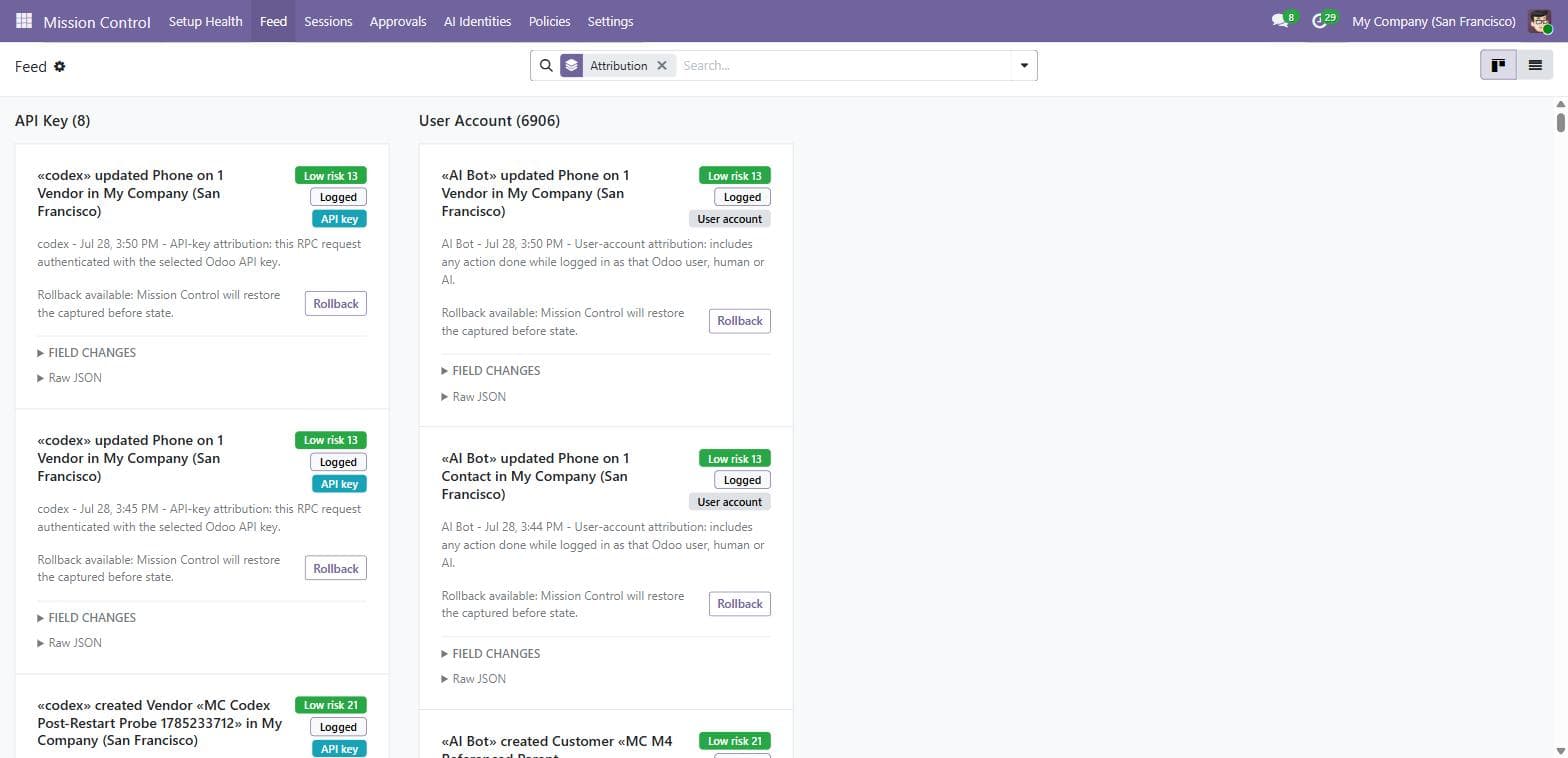
Each action becomes a human sentence with a risk score, field-level before/after diffs, and the raw payload one click away. The feed separates API key actions (unambiguously the AI) from User account actions (an AI-flagged login — agent or human at the keyboard), so you always know how sure the attribution is.
Control
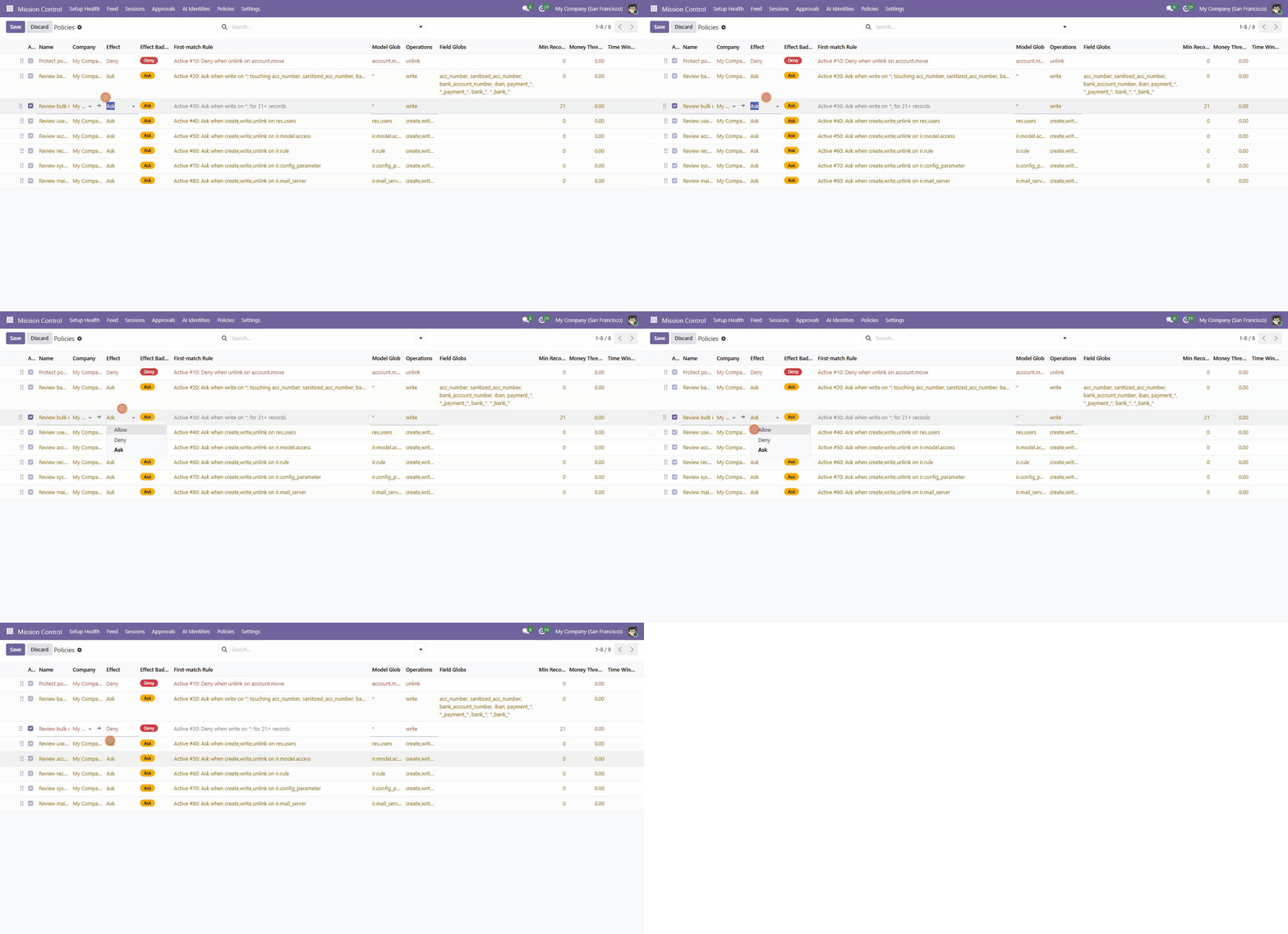
Sequence-ordered policies match on model, operation, fields, record count, money amount, time window and identity — first match wins, evaluated before the operation runs. Every rule reads back as a sentence, and you can backtest it against your real history before it goes live: see exactly which past actions it would have blocked, held or allowed. Read-only, zero side effects.
Screens
Feed
Setup
Install, flag the AI's identity, done. Nothing to configure to start seeing AI activity.
One click from the Odoo Apps Store. Capture, the 8-rule default policy pack and the weekly digest are live immediately — no config needed to start seeing AI activity.
Create an AI Identity: link the Odoo user your agent logs in with, or pick the exact API key it authenticates with — the strongest attribution.
Read the Feed, tighten policies with the backtest button, approve what needs you. Setup Health stays green while it watches.
Privacy & safety
It captures at the ORM level inside your own server — which is also why it works with every agent, connector and script without integration work. Human users take a cached early exit; a supervision tool that never phones home is the only kind worth trusting with your audit trail.
Datasheet
The details a sysadmin — or an AI agent — wants before recommending a module.
| Technical name | ai_mission_control |
|---|---|
| Odoo versions | 19.0 today · 18 & 17 in progress |
| Dependencies | base, mail — no other apps required |
| Extra Python packages | None — standard Odoo stack |
| License | OPL-1 (Odoo Proprietary License) |
| Price | $132 per Odoo version, one-time |
| Distribution | Odoo Apps Store |
| Works with | Any MCP server, XML-RPC / JSON-RPC script, copilot or Odoo 19 native AI agent — no agent changes |
| Backend menu | Mission Control (top-level app, admin-only) |
| Outbound calls | None — nothing ever leaves your server |
| Performance | Human users unaffected (cached early exit) · AI writes carry a few milliseconds of capture cost |
| Console-ready | 16 documented service functions (SERVICES.md) for custom consoles and dashboards |
Roadmap
Odoo 19 today; earlier series and a standalone console follow — as updates, not repurchases.
Phase 1
shippedCapture, sentences, risk scoring, sessions, identities with API-key attribution, Allow/Ask/Deny policies with backtest, approvals, rollback, weekly digest and Setup Health. Available now for Odoo 19.
Phase 2
in developmentThe same module branched for Odoo 18 and 17 with small compat shims — so earlier databases get the same flight recorder and guardrails.
Phase 3
researchEvery screen already runs on a documented, REST-shaped service API — the foundation for a dedicated console and external notifiers beyond the Odoo backend.
FAQ
The things merchants and partner agencies ask before installing.
Something else on your mind? Ask the lab directly.
All of them. MCP AI Supervisor captures at the ORM level inside Odoo, so it is provider-agnostic: external MCP servers (any vendor), direct XML-RPC or JSON-RPC scripts, in-house copilots, and Odoo 19's native AI agents are all captured the same way — with no changes to the agent.
Human users are unaffected — the capture wrapper exits immediately via a cached lookup unless the actor is a flagged AI identity. AI writes carry a small fixed capture cost of a few milliseconds per operation. And the module is fail-open by design: if anything in it errors, Odoo behaves as if it isn't installed. The single deliberate exception: a matched Deny policy fails closed — a block stays a block.
No. There is no LLM at runtime — sentences and risk scores are generated deterministically from a built-in semantic registry. Zero tokens, zero per-action cost, zero latency added by external calls.
Nothing. The module makes no outbound network calls at all. Sensitive values (passwords, tokens, bank account numbers, IBANs) are redacted at capture time and never stored; retention cleanup deletes captured history after 180 days by default.
A matching Ask policy holds the operation before it executes — nothing touches your data — and the agent receives a message with an approval number to relay to its user. You review the exact field diff in the Approvals inbox and approve (the change is replayed exactly as intended, fully captured) or reject (data untouched). A matching Deny policy blocks outright, naming the policy.
Plain field writes (the captured before-state is restored), archive/unarchive toggles, and records the AI created that nothing references yet. Payments, posted journal entries, sent emails, validated pickings and deletes are honestly labelled irreversible on the card — the module tells you to protect those with an Ask policy instead of pretending it can undo them.
The module is honest about attribution. Actions matched by the exact API key the agent authenticates with are badged “API key” — unambiguously the agent. Actions matched by user account are badged as such, with a plain note that they cover anyone using that login, human or AI. Best practice: give the AI its own user plus a linked API key.
Odoo 19 (Community & Enterprise) today — where native AI agents make supervision most urgent. Odoo 18 and 17 editions are in progress; contact us if you need one.
OPL-1, $132 one-time per Odoo version, sold through the Odoo Apps Store. Updates within your Odoo series arrive as normal module updates.
Get MCP AI Supervisor
One-time purchase, sold and fulfilled via the Odoo Apps Store. Available for Odoo 19 today — 18 and 17 editions are in progress.
One-time
$132
USD · per Odoo version
Questions before buying? Ask the lab — real answers from the people who wrote the code.